
Mitigation Rules
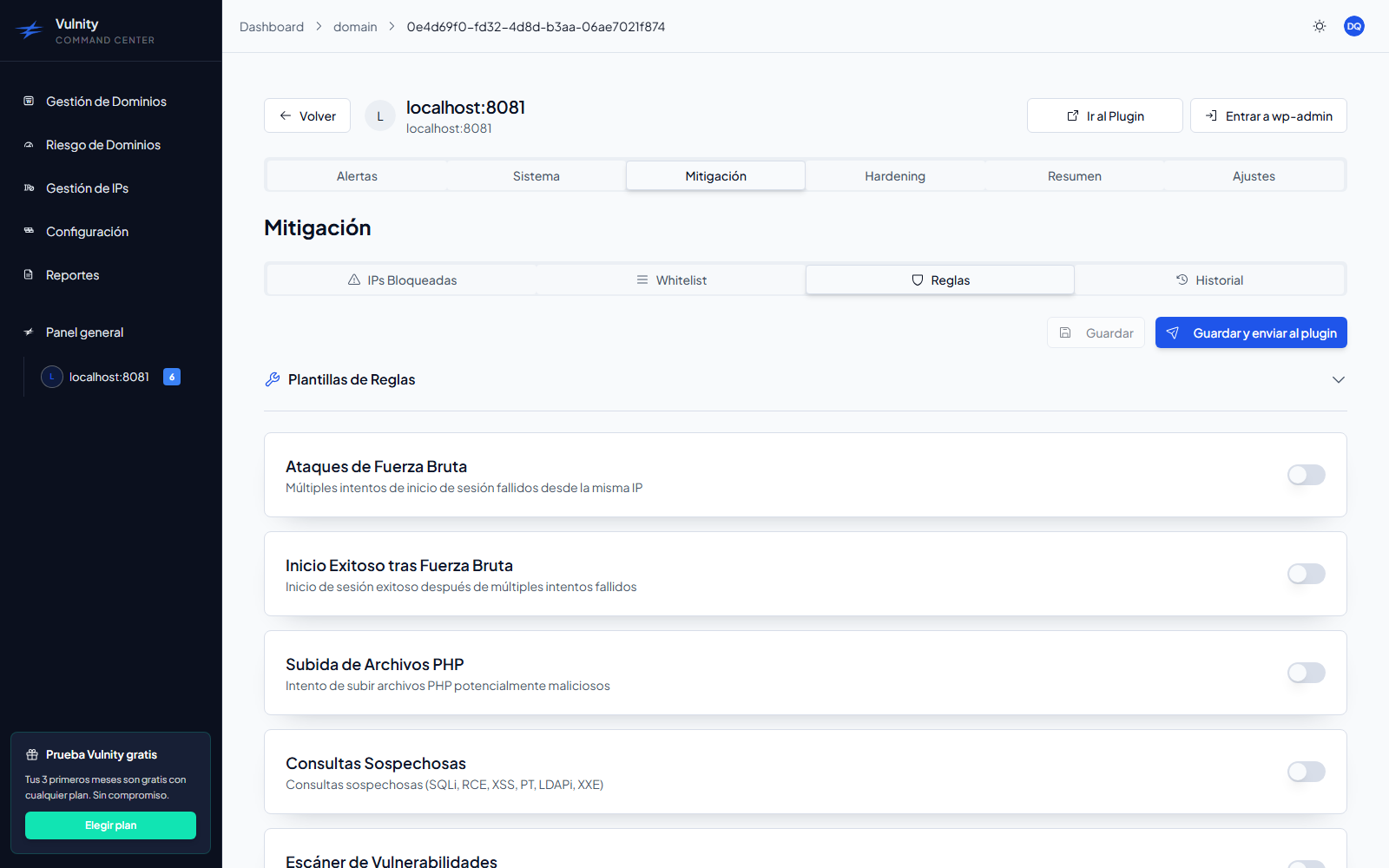
The Rules sub-tab configures the automatic IP blocking system: for each alert type you decide whether attacker IPs are blocked automatically, after how many events, for how long, and from which severity.
Available rules
Section titled “Available rules”The system includes 7 mitigation rules, one per alert type. Each rule is configured individually, and all rules ship disabled by default.
1. Brute Force Attacks (brute_force)
Section titled “1. Brute Force Attacks (brute_force)”- Description: multiple failed login attempts from the same IP.
- Default configuration: threshold 5 attempts · block 1 hour · minimum severity Medium.
- Recommended use: enable to protect against password guessing.
2. Successful Login after Brute Force (brute_force_breach)
Section titled “2. Successful Login after Brute Force (brute_force_breach)”- Description: successful login after multiple failed attempts.
- Default configuration: threshold 1 event · block 24 hours · minimum severity Critical.
- Recommended use: enable to react to potentially compromised credentials.
3. PHP File Upload (php_file_uploaded)
Section titled “3. PHP File Upload (php_file_uploaded)”- Description: attempt to upload potentially malicious PHP files.
- Default configuration: threshold 1 event · block 7 days · minimum severity Critical.
- Recommended use: high priority; it usually indicates an attempt to plant a backdoor.
- Additional response: beyond blocking the IP, the plugin can block PHP execution in
uploadsor quarantine the file; the resulting alert then offers restoring or permanently deleting the file from the panel — see SIEM Alerts.
4. Suspicious Queries (suspicious_query)
Section titled “4. Suspicious Queries (suspicious_query)”- Description: suspicious requests matching injection and attack patterns (SQLi, RCE, XSS, path traversal, LDAPi, XXE).
- Default configuration: threshold 3 events · block 6 hours · minimum severity High.
- Recommended use: enable to cut off injection attempts.
5. Vulnerability Scanner (scanner_detected)
Section titled “5. Vulnerability Scanner (scanner_detected)”- Description: automated tools probing the site.
- Default configuration: threshold 1 event · block 24 hours · minimum severity Medium.
- Recommended use: blocks bots probing the site for weaknesses.
6. User Manipulation (manage-user)
Section titled “6. User Manipulation (manage-user)”- Description: creation or modification of user accounts.
- Default configuration: threshold 1 event · block 1 hour · minimum severity Medium.
7. File Editor Usage (file_editor_used)
Section titled “7. File Editor Usage (file_editor_used)”- Description: use of the WordPress file/theme editor.
- Default configuration: threshold 2 events · block 1 hour · minimum severity Medium.
Per-rule configuration
Section titled “Per-rule configuration”Each rule card offers four settings:
-
Status — a switch that enables or disables the rule.
-
Block after — the number of events required before blocking the IP (1–50 attempts).
-
Block duration — one of:
Duration 15 minutes 30 minutes 1 hour 6 hours 24 hours 7 days 30 days Permanent Custom — any value in minutes (up to one year), with a live preview of the resulting duration -
Minimum severity — Low, Medium, High, or Critical. Only events with severity equal to or above the configured level count towards the rule.
Rule templates
Section titled “Rule templates”The Rule Templates section applies a full ready-made configuration in one click. Six templates are available: Conservative, Recommended, Strict, Ecommerce, Technical Agency, and Staging / Development. Each card describes its intent, shows how many rules it enables, and a View detail link lists the exact per-rule settings.
Save and apply the rules
Section titled “Save and apply the rules”-
Adjust the rules (or apply a template). While there are pending edits the panel shows an Unsaved changes indicator, with a Discard option to revert them.
-
Click Save to store the configuration in the panel, or Save & Push to Plugin to also apply it to the WordPress site immediately.
-
If you only saved, the plugin will pick up the changes in its automatic synchronization every 24 hours; you can also force it from the site under Mitigation → Synchronization → Sync Configuration Now.
How it works
Section titled “How it works”Alert detected → Rule enabled?├─ No → Log only└─ Yes → Severity high enough? ├─ No → Log only └─ Yes → Threshold reached? ├─ No → Increment counter └─ Yes → Block IP automatically → Apply configured duration → Record in the mitigation historyUsage recommendations
Section titled “Usage recommendations”Safer rules to enable first: Brute Force Attacks, Successful Login after Brute Force, PHP File Upload, Suspicious Queries, Vulnerability Scanner.
Rules that require caution: User Manipulation and File Editor Usage — whitelist administrator and developer IPs before enabling them.
Recommended strategy:
- Start by enabling external-threat rules: brute force, suspicious queries, scanners.
- Configure the whitelist with trusted IPs such as office or VPN addresses.
- Gradually enable administrative-activity rules.
- Review the mitigation history regularly.
Next steps
Section titled “Next steps”- Whitelist — protect trusted IPs before enabling aggressive rules.
- Blocked IPs — review the blocks the rules produce.
- Plugin synchronization — how rules reach the WordPress site.
- Alert catalog — what each alert type detects and why.