
Plugin Alerts
This page shows all security alerts Vulnity has detected on your site. Each entry in the list is a security event reported to the SIEM.
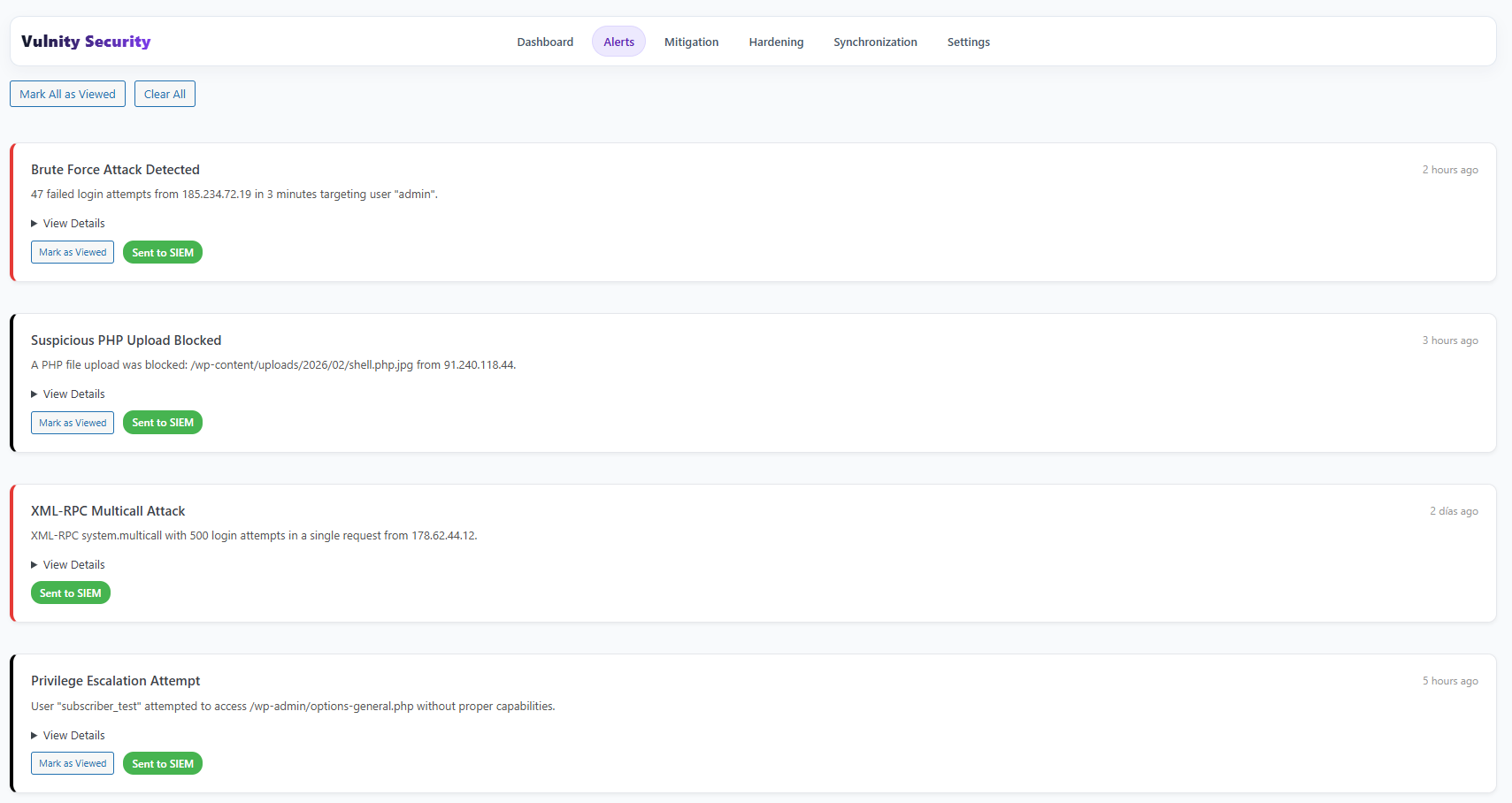
What each alert shows
Section titled “What each alert shows”Alerts cover events such as a brute-force attempt, an attempt to upload a malicious file, a plugin change, or the creation of a new administrator user. For each alert you will see:
- A title describing what happened, with a color code for its severity.
- A more detailed message, plus a View Details section with the raw event data.
- How long ago it occurred.
- Whether it was successfully sent to the SIEM or is marked Not Sent.
Available actions
Section titled “Available actions”- Mark as Viewed — clears the “new” state of an alert; Mark All as Viewed does it for the whole list.
- Clear All — removes all alerts from the local list.
- Retry Send — resends an alert that failed to reach the SIEM. When there are failed alerts, a Retry All Failed button appears at the top. Failed alerts show their retry count and the last error.
PHP files in uploads
Section titled “PHP files in uploads”If Vulnity detects a PHP file inside wp-content/uploads, the alert is treated as critical. The plugin attempts to prevent that file from being executed from the web and, if server-side protection cannot be guaranteed, can move the file to quarantine.
When the alert reaches the SIEM with quarantine data, the panel allows you to:
- View the original path and quarantine path.
- Restore the file only after verifying it is legitimate.
- Permanently delete the file after confirming it is malicious.
Next steps
Section titled “Next steps”- Plugin dashboard — see the aggregated alert numbers.
- Alert catalog — understand each alert type, its triggers, and mitigations.
- Mitigation overview — check how alerts turn into automatic IP blocks.