
IP Management
IP Management is the account-wide place to control and review IP addresses across all your monitored sites. It is organized into three tabs.
Blocked IPs
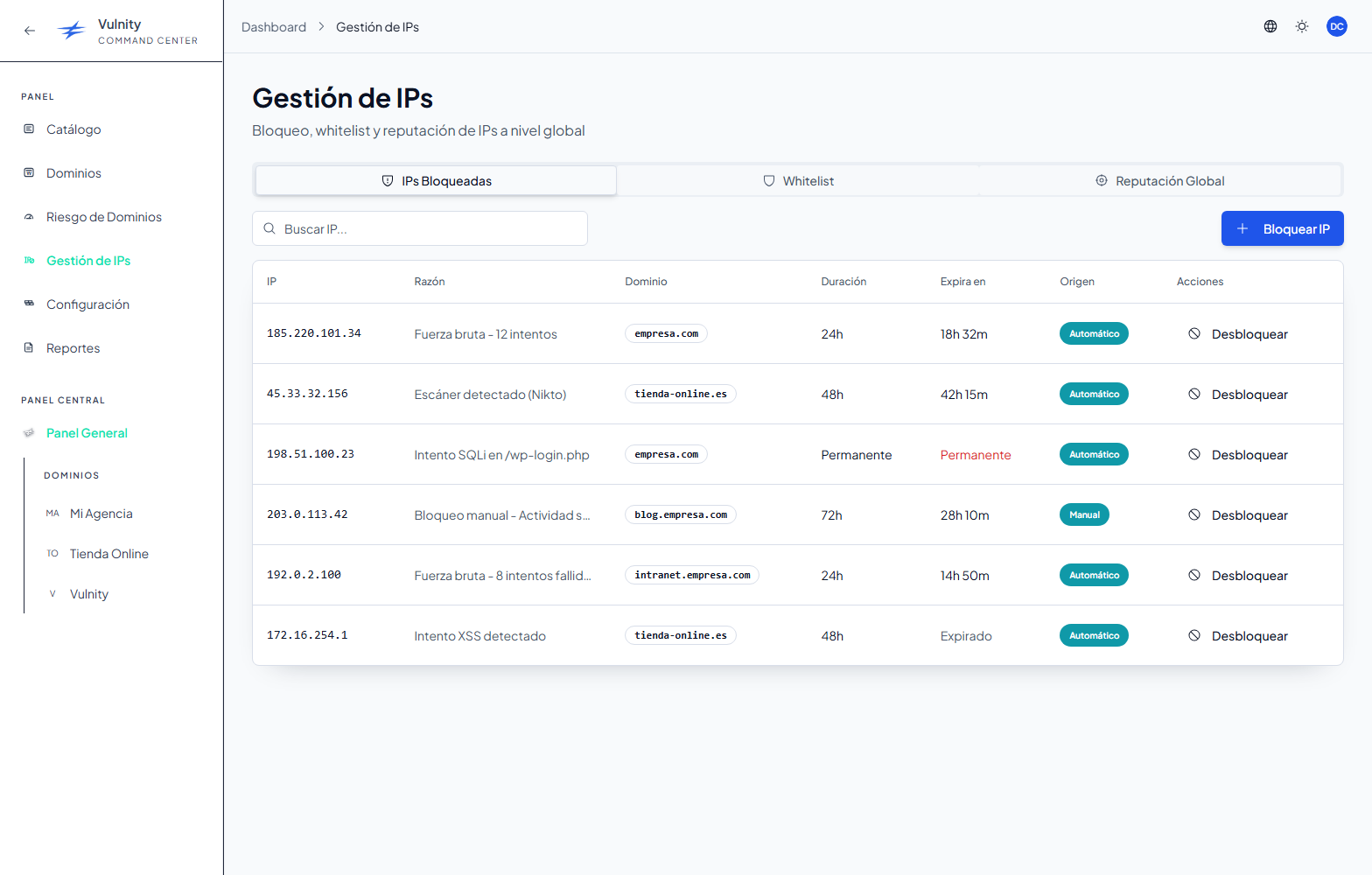
Section titled “Blocked IPs”A real-time list of the IP addresses currently blocked across your domains. It shows:
- Counters for Total blocked, Temporary, and Permanent blocks.
- A search box (by IP or reason) and a filter by domain.
- Each blocked IP with its reason and expiry, updated automatically.
You can also block a new IP manually with the “Block new IP” button.
Whitelist
Section titled “Whitelist”A global whitelist of IP addresses that should never be blocked automatically across your sites — for example office, VPN, or administrator IPs.
Global Reputation
Section titled “Global Reputation”A cross-site threat-intelligence view of the attacker IPs seen across your domains. Summary cards show tracked IPs, critical IPs, and multi-site attackers. For each IP the table shows:
- The number of alerts it generated and how many of your sites it hit (multi-site attackers stand out).
- A severity breakdown (critical, high, medium, low).
- The attack types observed (brute force, scanner, PHP upload, file editor, suspicious query, and more).
- A threat level (critical or high) and the last time it was seen.
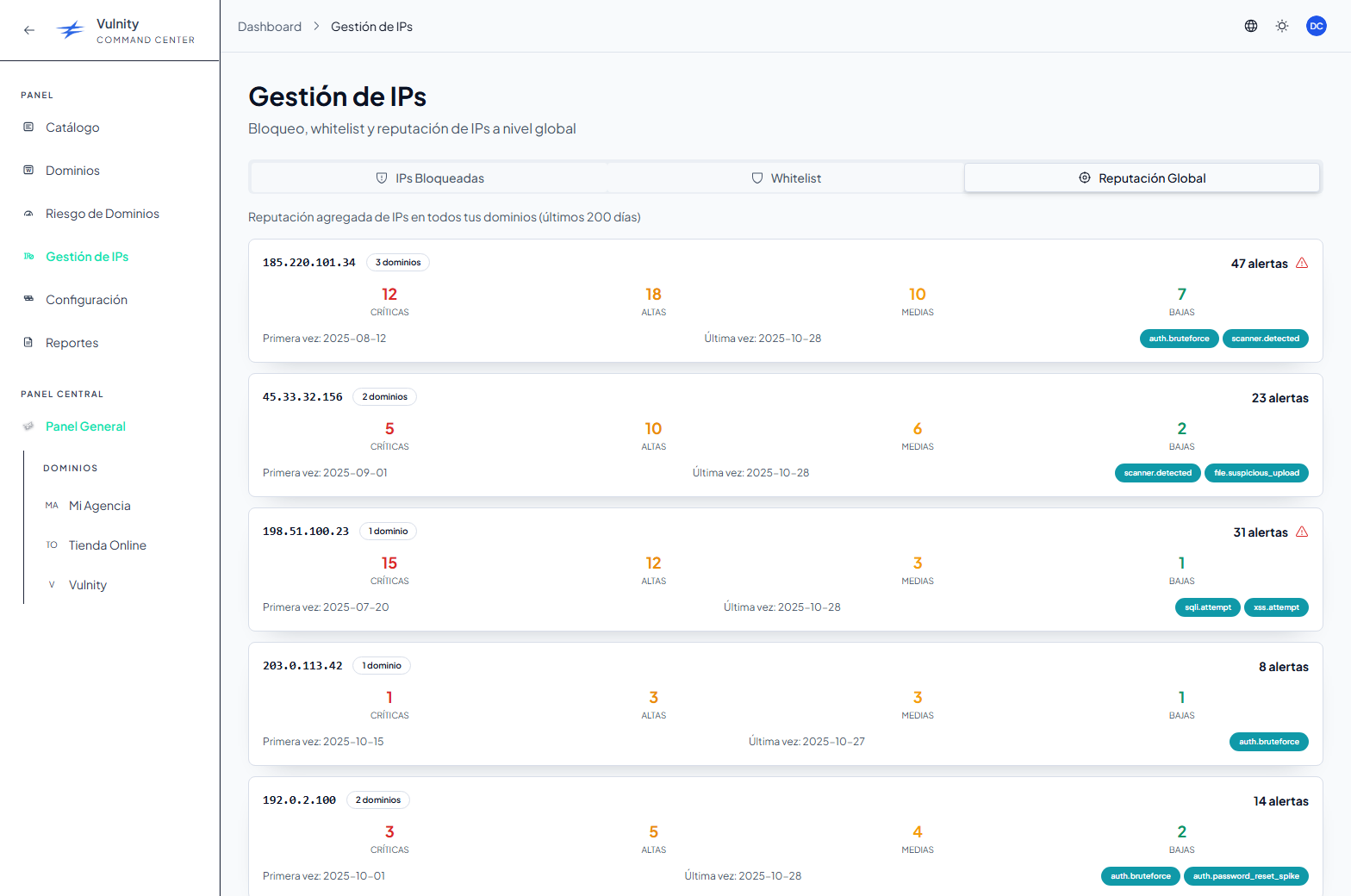
Use it to spot IP addresses that are attacking several of your sites and block them from one place.
Next steps
Section titled “Next steps”- Blocked IPs (plugin) — per-site blocked IPs on a single WordPress install.
- Mitigation rules — automatic IP-blocking rules.
- Mitigation whitelist — the per-site whitelist in the individual SIEM.