
Assisted connection link
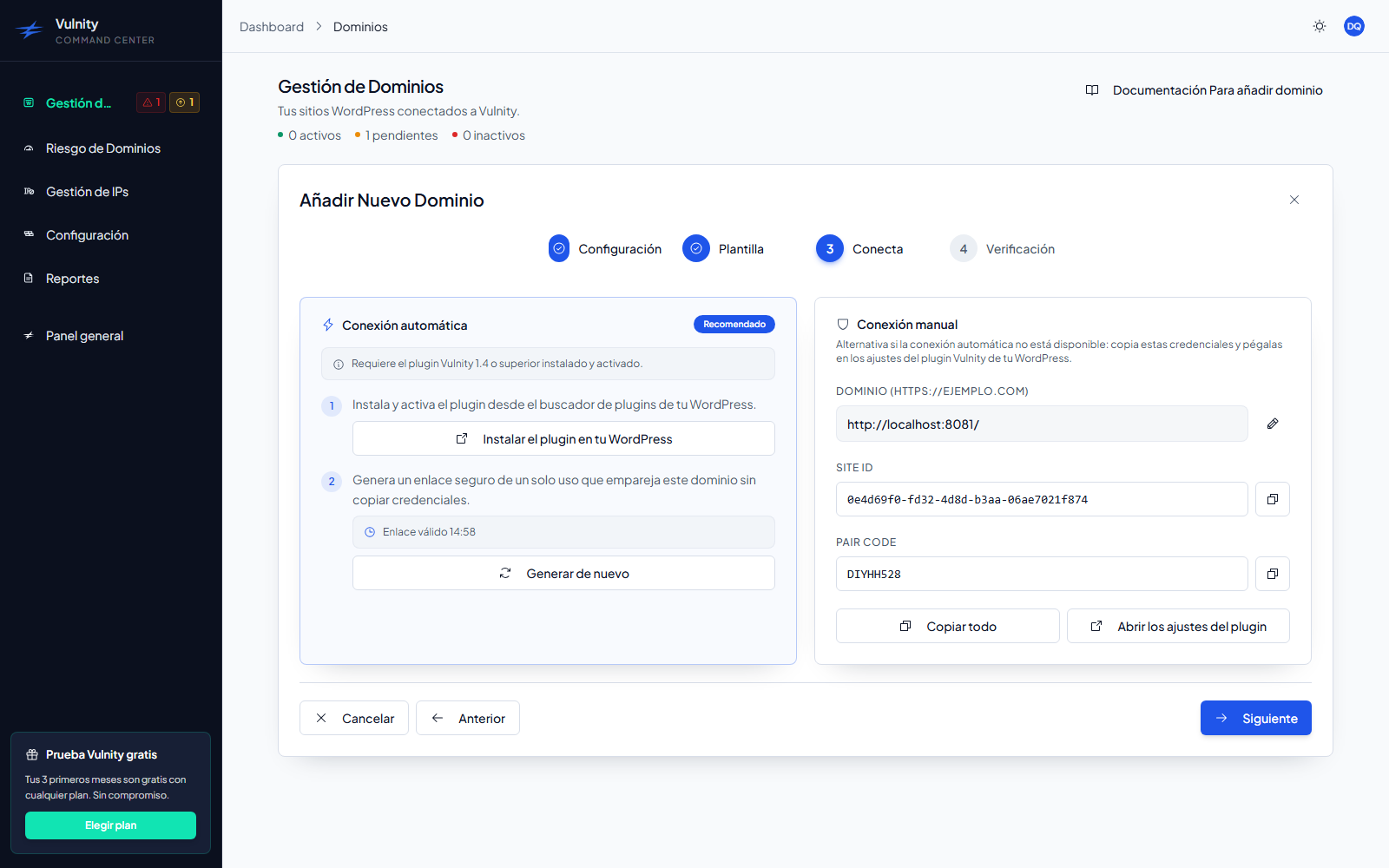
The assisted connection link is the recommended way to pair a single site: the panel issues a one-time link, you open it in the site’s wp-admin, and the plugin completes the pairing with a single click — no Site ID or Pairing Code to copy.
What the link is
Section titled “What the link is”When you click Connect automatically in the add-domain wizard, the panel issues a single-use token and builds a link to the site’s wp-admin that carries it in the vulnity_link parameter:
https://example.com/wp-admin/admin.php?page=vulnity&vulnity_link=<token>The token has three properties:
- Single use — it is redeemed atomically the first time the plugin uses it; after that it is worthless.
- Site-scoped — it only pairs the exact domain it was issued for. The panel stores only a hash of the token, never the token itself.
- Short-lived — it expires 15 minutes after being issued. The panel shows a live countdown (“Link valid 14:59”) while it is usable.
How to use it
Section titled “How to use it”-
In the Connect step of the wizard, click Connect automatically. The panel opens the link in a new tab and starts the countdown.
-
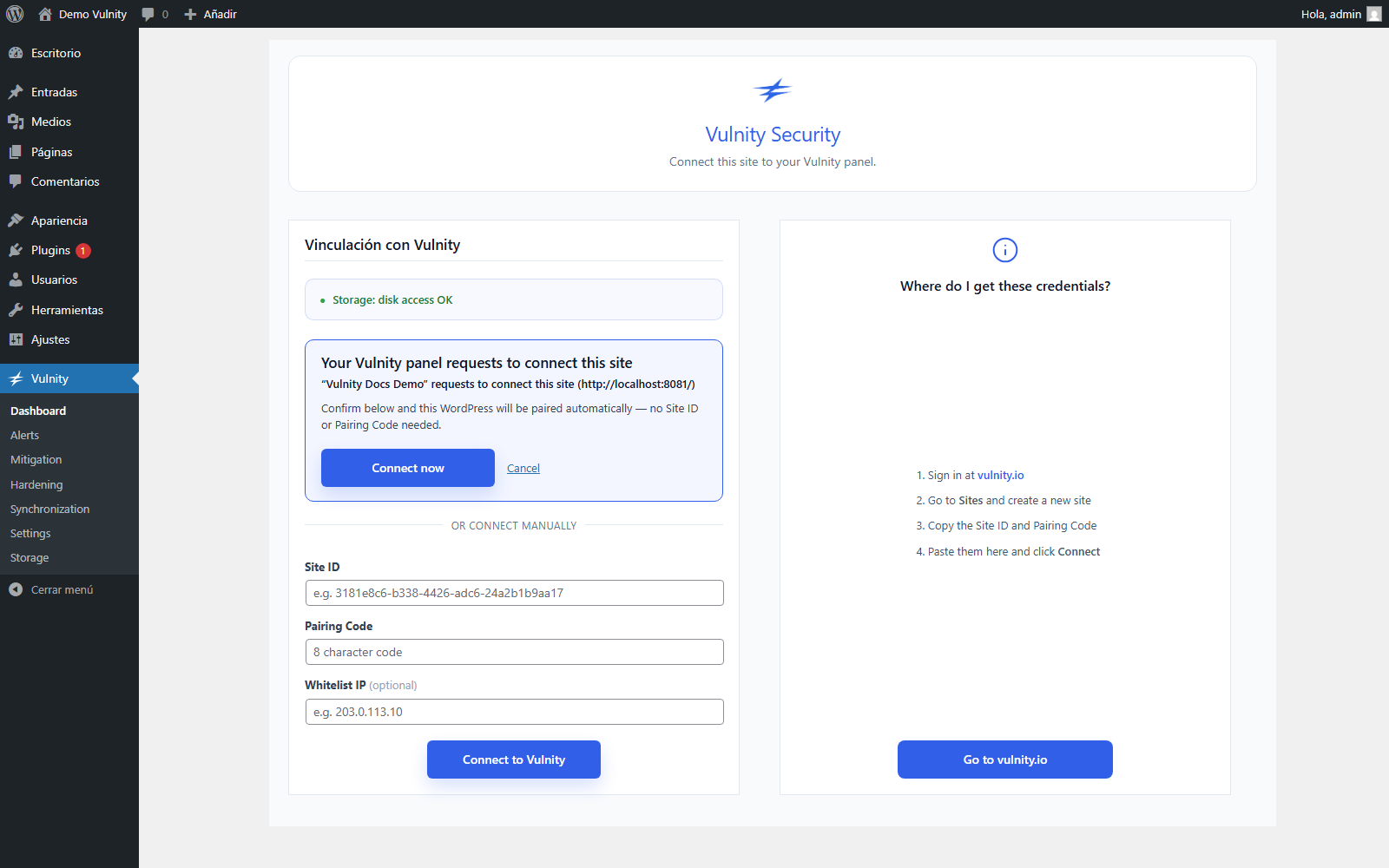
In the new tab, the plugin’s setup screen shows the message “Your Vulnity panel requests to connect this site”, confirming that the pairing needs no Site ID or Pairing Code. Click Connect now.
-
Back in the panel, the wizard detects the pairing on its own and jumps to Verification. The domain switches to Active when the first heartbeat arrives.
If you prefer not to confirm, click Cancel on the plugin screen — the same page also keeps the manual form below (“or connect manually”) in case you want to pair with the Site ID and Pairing Code instead.
Expiry and re-issue
Section titled “Expiry and re-issue”When the countdown reaches zero, the panel shows “The link has expired. Generate a new one.” Click Generate again to issue a fresh link — the expired token is no longer valid and nothing needs to be cleaned up.
If you generate too many links in a short time, the panel asks you to wait a few minutes before issuing another one.
Next steps
Section titled “Next steps”- Add a single site — the full wizard, assisted and manual.
- Quickstart — connect your first site end to end.
- Reconnect domains — recover a domain that went inactive.