
Hardening
The Hardening tab lets you enable or disable additional protections that harden your WordPress site. Each option is a switch you can turn on or off depending on the site’s needs, and changes apply as soon as you save.
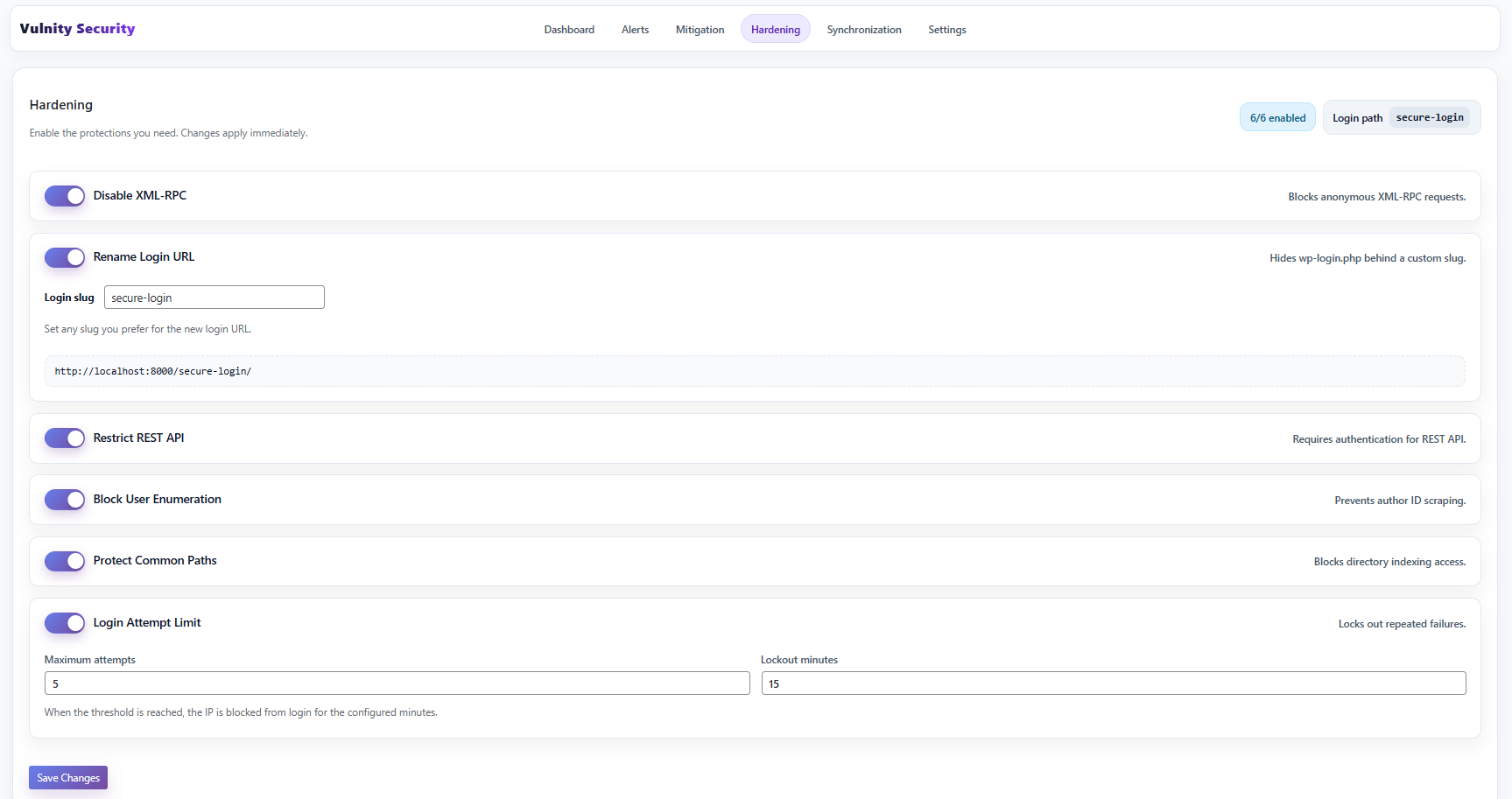
Hardening options
Section titled “Hardening options”Disable XML-RPC
Section titled “Disable XML-RPC”Disables the xmlrpc.php endpoint. XML-RPC is one of the most frequently attacked WordPress entry points, and most sites no longer need it.
Rename login URL
Section titled “Rename login URL”Changes the address of your login page. Instead of using /wp-login.php, which bots know by default, you sign in through a custom slug that you choose in the Login slug field (the default slug is vulnity-login). The screen shows the resulting login URL so you can save it.
Restrict REST API
Section titled “Restrict REST API”Makes the WordPress REST API respond only to signed-in users; unauthenticated requests receive an authentication error. To avoid breaking common integrations, a set of public routes stays open — including Vulnity’s own endpoints and routes used by WooCommerce, contact form plugins, SEO plugins, Jetpack, Elementor, and other popular tools. The REST index that reveals which plugins are installed is also blocked.
Block user enumeration
Section titled “Block user enumeration”Prevents attackers from discovering usernames through URLs such as ?author=1 or author archive pages. For visitors who are not signed in, those requests return a normal 404 page instead of redirecting to a URL that contains the username.
Protect common paths
Section titled “Protect common paths”Blocks direct browsing of the wp-content/plugins/, wp-content/themes/, and wp-content/uploads/ directories, and prevents .php files inside uploads from being executed from the web. Where the server allows it, Vulnity also writes server-level rules and disables directory indexing; on hostings where those rules cannot be applied, the PHP-level protection stays active and the plugin shows a warning.
Vulnity’s own storage and log directories are always protected, even when this option is off.
Hide WordPress version
Section titled “Hide WordPress version”Removes the WordPress version from public view: the generator meta tag is emptied, and the front-end emoji script — whose URLs reveal the exact WordPress version to fingerprinting tools — is removed. Admin-side behavior is not affected.
Hide login user enumeration
Section titled “Hide login user enumeration”Replaces login error messages that reveal whether a username exists (“invalid username” vs. “wrong password”) with a single generic message: “The username or password you entered is incorrect.” Errors the plugin does not recognize — such as messages from two-factor plugins or lockout notices — are left untouched.
Limit login attempts
Section titled “Limit login attempts”After a configured number of failed attempts from the same IP address (Maximum attempts), that IP is temporarily blocked from logging in for the number of minutes you set (Lockout minutes). Before the lockout, the login form warns how many attempts remain; a successful login resets the counter.
Where to start
Section titled “Where to start”Not every option fits every site. A safe order for most sites:
- Limit login attempts, Block user enumeration, and Hide login user enumeration — low risk and high value against automated attacks; safe to enable everywhere.
- Hide WordPress version and Protect common paths — reduce what an attacker can learn about the site with no impact on visitors.
- Disable XML-RPC — enable it unless you use the WordPress mobile app, Jetpack, or another tool that relies on
xmlrpc.php. - Rename login URL — effective against bots, but save the new URL: you will need it to sign in.
- Restrict REST API — test first, since some plugins and themes rely on unauthenticated REST endpoints.
Next steps
Section titled “Next steps”- Mitigation overview — see how automatic IP blocking complements hardening.
- Plugin alerts — review the events these protections help prevent.
- Storage — check where the firewall persists its state.