
Profile
The Profile section holds the personal data of your Vulnity account. You reach it from the avatar menu → Settings → Profile.
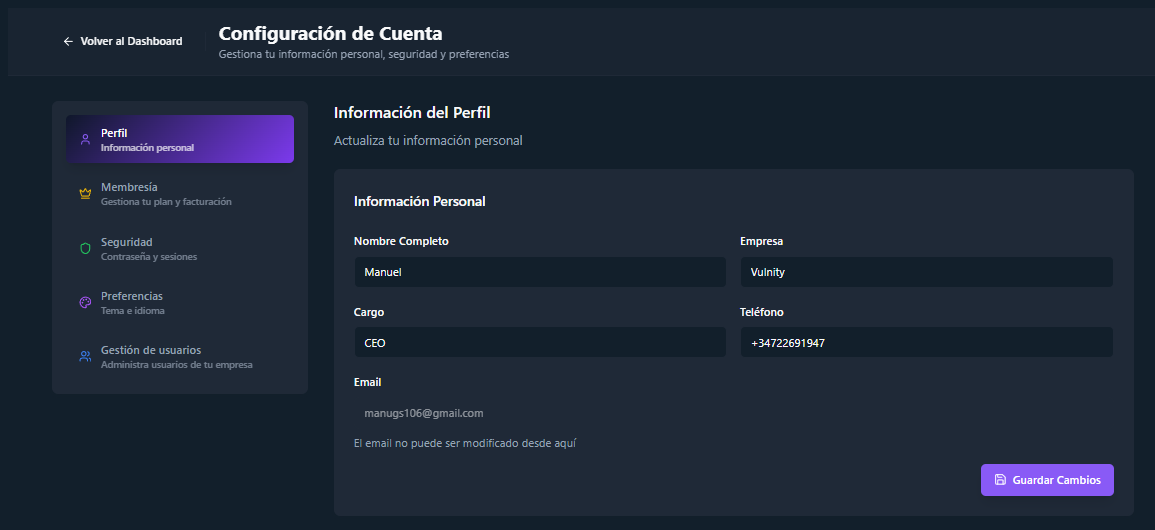
Profile fields
Section titled “Profile fields”- Full name (required) — the name shown across the panel.
- Company (optional).
- Role / job title (optional).
- Phone (optional).
- Email — shown for reference; it identifies your account and cannot be edited from this form.
Changes are saved from the same form and apply immediately.
Organization and account actions
Section titled “Organization and account actions”Below the profile data, the section offers actions that affect your membership and your account:
- Delete SIEM — available to administrators. Removes your SIEM so you can create or join another one.
- Leave SIEM — available to SIEM Managers. Leaves the current organization without deleting it.
- Delete account — permanently deletes your user account.
Next steps
Section titled “Next steps”- Security — change your password and review active sessions.
- Preferences — theme and language of the panel.
- Membership — your plan and billing.