
Plugin Whitelist
The Whitelist subtab lists the IP addresses that will never be blocked under any circumstances by automatic mitigation.
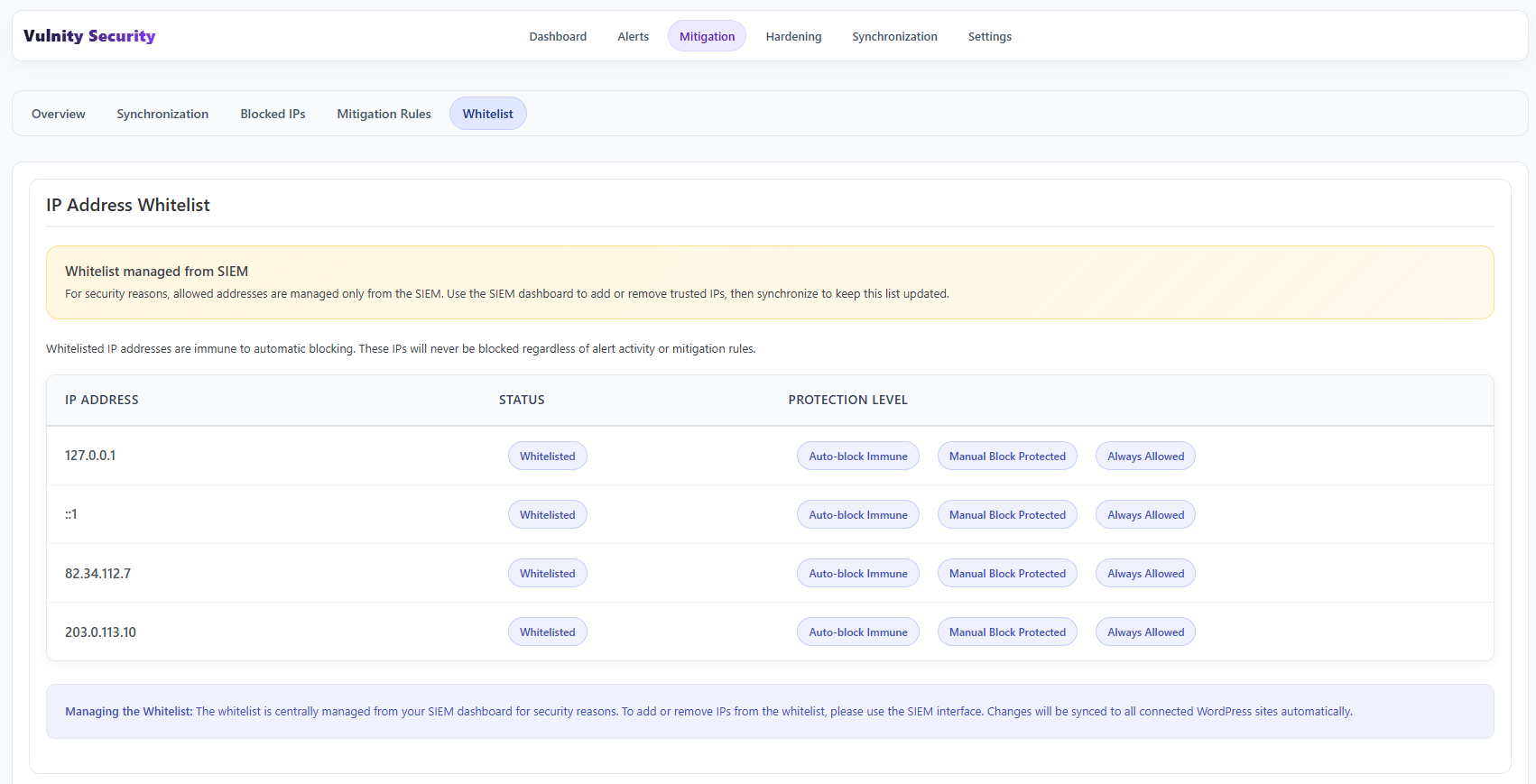
What the whitelist contains
Section titled “What the whitelist contains”If your public IP address is listed here, you can be confident the system will not block your access to your own site, even if unusual activity is detected. Each entry shows its protection level: immune to automatic blocks, protected from manual blocks, and always allowed.
By default, the whitelist always includes the localhost IPs:
127.0.0.1::1
If you entered your public IP address during the pairing process, it will also appear here.
Managing entries
Section titled “Managing entries”To add or remove IP addresses from this list, make the change in the panel and then synchronize.
Suppress alerts for whitelisted IPs
Section titled “Suppress alerts for whitelisted IPs”This subtab also has one local switch: Suppress alerts for whitelisted IPs. When enabled, security events originating from whitelisted addresses do not create alerts — useful to keep your own administration activity out of the alert feed.
Next steps
Section titled “Next steps”- Blocked IPs — review the addresses currently blocked.
- SIEM whitelist — manage trusted IPs from the panel.
- Mitigation synchronization — how changes reach WordPress.