
Overview
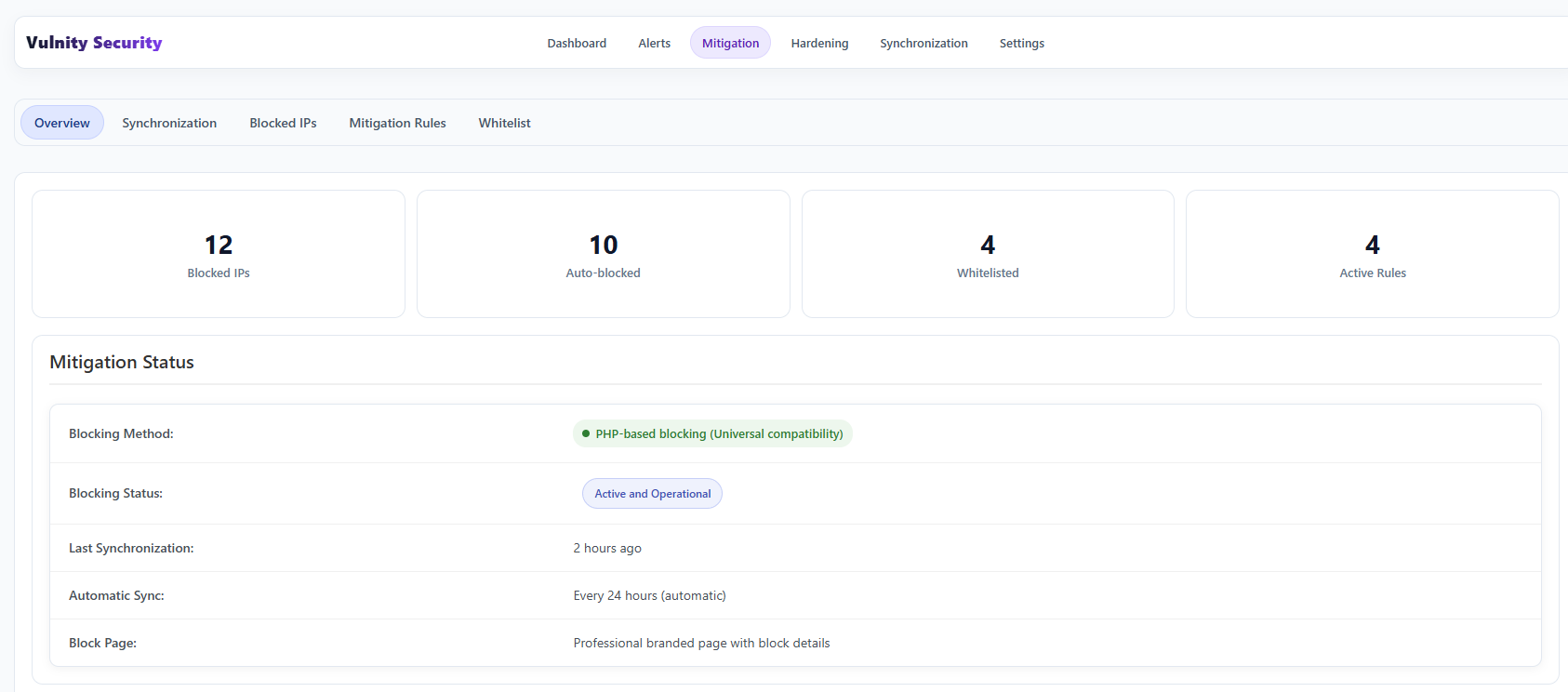
The Overview subtab is the summary of your site’s active protection: it confirms the blocking system is working and shows how much malicious activity is being mitigated.
Protection counters
Section titled “Protection counters”The cards at the top show at a glance:
- Blocked IPs — how many IP addresses are currently blocked.
- Auto-blocked — how many of those blocks were triggered automatically by mitigation rules.
- Whitelisted — how many IP addresses are in your whitelist.
- Active Rules — how many mitigation rules are enabled.
Mitigation status
Section titled “Mitigation status”Below the counters, the status table shows:
- Blocking Status — whether the blocking engine is active and operational.
- Last Synchronization — when the mitigation configuration was last synchronized with the SIEM.
- Automatic Sync — the automatic synchronization cadence (every 24 hours).
File quarantine
Section titled “File quarantine”Mitigation is not limited to IP addresses. For PHP upload alerts, Vulnity can move the suspicious file to a protected quarantine folder and send that evidence to the SIEM.
From the SIEM, you can decide whether to restore the file or permanently delete it. This option appears only when the alert contains enough path and hash context to operate safely.
Next steps
Section titled “Next steps”- Blocked IPs — review and manage the current blocks.
- Whitelist — see which IPs are always allowed.
- Mitigation rules — check the rules that trigger automatic blocks.