
Plugin Settings
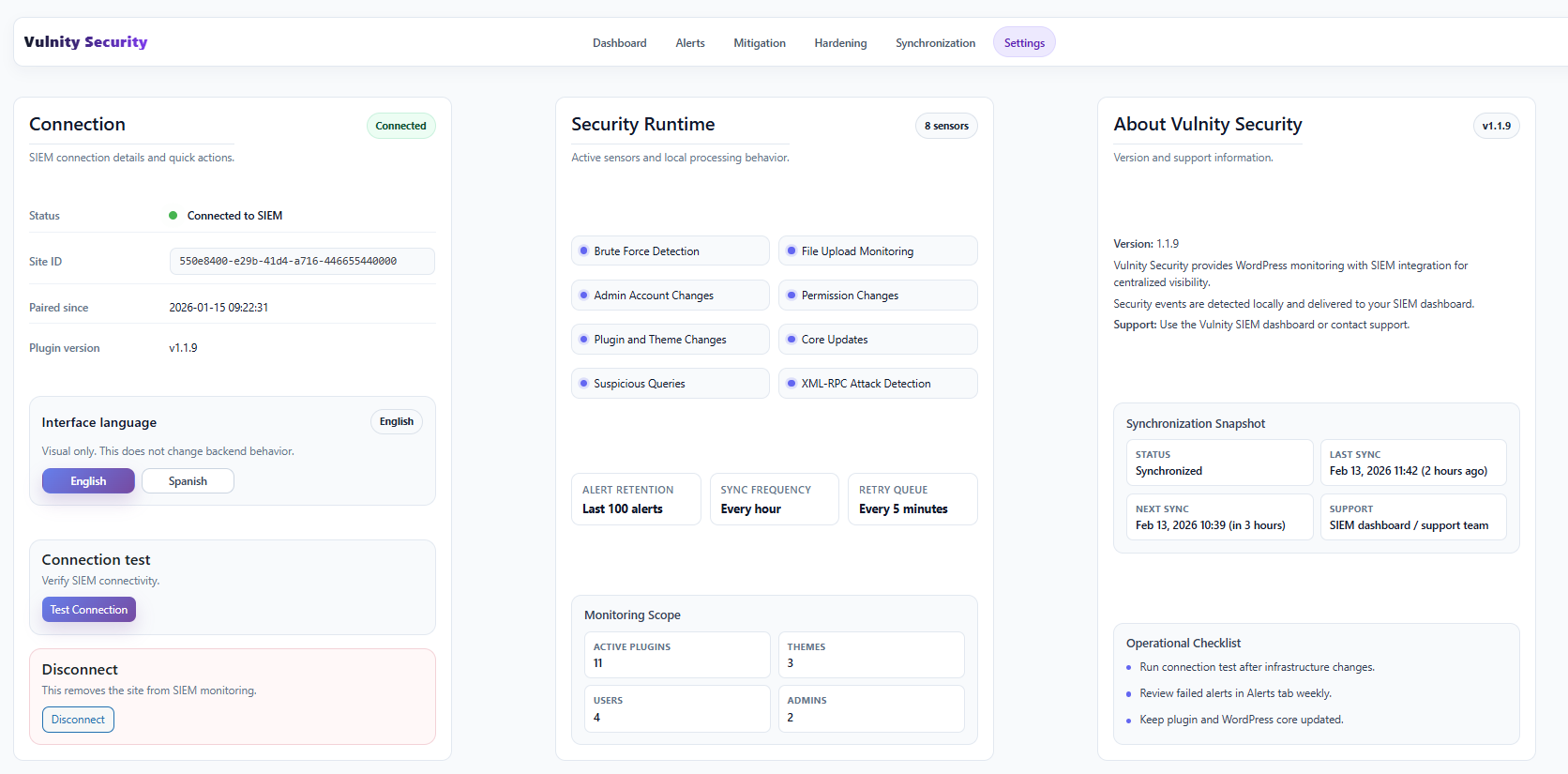
The Settings tab holds the plugin’s connection details with the SIEM and a few quick actions: testing the connection, changing the interface language, and disconnecting the site.
Connection
Section titled “Connection”The main panel shows the current state of the link between this site and the panel:
- Status — whether the site is connected to the SIEM.
- Site ID — the unique identifier of your site in the Vulnity platform.
- Paired since — the date when the plugin was paired.
- Plugin version — the installed version of Vulnity Security.
- Last sync and Next sync — when the inventory was last synchronized and when the next scheduled synchronization will run.
Connection test
Section titled “Connection test”The Test Connection button verifies connectivity with the SIEM on demand.
Language
Section titled “Language”Choose the display language of the plugin admin pages: Español or English. This only changes the interface texts of the plugin screens.
Disconnect
Section titled “Disconnect”The Disconnect button removes the site from SIEM monitoring.
Next steps
Section titled “Next steps”- Plugin dashboard — check the overall security status after verifying the connection.
- Plugin synchronization — see what the inventory sync sends to the SIEM.
- Quickstart guide — pair the plugin again on a new site.