
Blocked IPs
The Blocked IPs subtab shows all IP addresses currently blocked on your site and lets you block or unblock addresses manually.
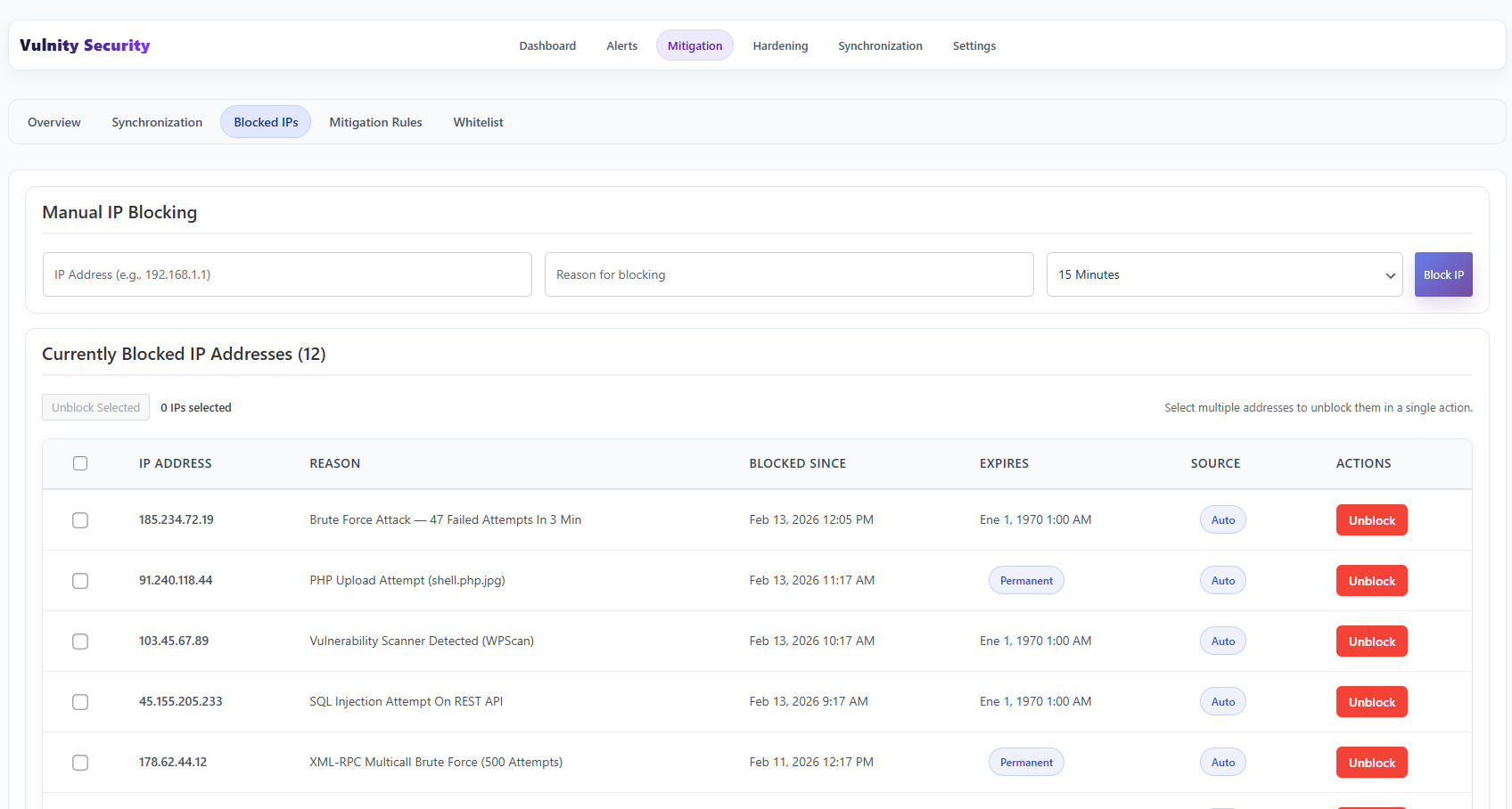
Blocked list
Section titled “Blocked list”For each IP address you will see:
- The blocked IP address.
- The reason it was blocked, for example “Brute force attack” or “PHP upload attempt”.
- When it was blocked.
- When the block expires, or a Permanent badge if it does not.
- The source of the block: Auto (mitigation rule), Manual, SIEM (managed from the panel), Sync, or Vulnity (global threat list).
Manual blocking
Section titled “Manual blocking”The Manual IP Blocking form at the top lets you block an address yourself: enter the IP, a reason, and a duration from 15 minutes up to 30 days, or permanent.
Unblocking
Section titled “Unblocking”If you see an IP address that should not be blocked, such as a coworker’s address, you can unblock it here with the Unblock button. To remove several blocks at once, select them with the checkboxes and use Unblock Selected.
Next steps
Section titled “Next steps”- Whitelist — make sure trusted IPs are never blocked.
- Mitigation rules — see what triggers automatic blocks.
- Mitigation overview — go back to the protection summary.